AI for Kids・Askie
ASKIE KIDS AI LIMITEDParenting
4.321.00 Reviews
- Version
- 1.0.188
- Installs
- 10.00K
- Age Rating
- Everyone
Screenshots
Our Review of AI for Kids・Askie
 Analysis by Appyee
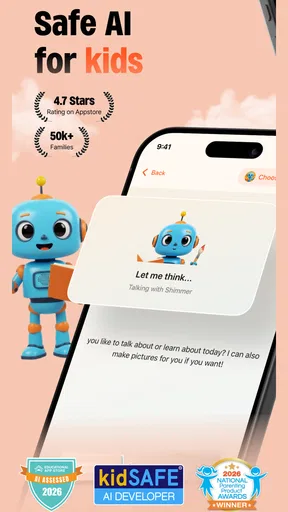
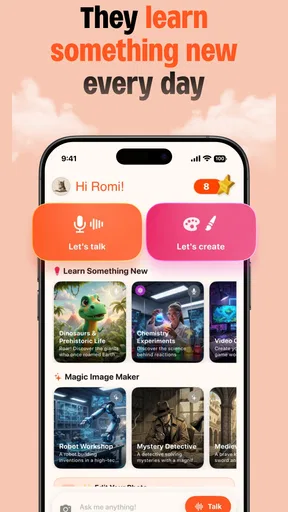
I approached AI for Kids・Askie as a parenting app rather than as a general chatbot. That distinction matters. Its promise is not simply to answer questions, but to give children a more approachable space for voice conversations, creative activities, and playful interaction. In my experience, that makes it most interesting for families looking for a supervised-feeling alternative to handing a child an ordinary AI assistant.
Askie is developed by ASKIE KIDS AI LIMITED and is available as a free parenting app for Android. It is rated for Everyone, supports Android 8.0 and later, and the current release is version 1.0.188. The app has reached over 10K installs, with a 4.3 average from around 237 ratings and 21 written reviews. Those numbers suggest a young product with a modest but real user base, rather than a mature household standard.
How Askie feels in everyday family use
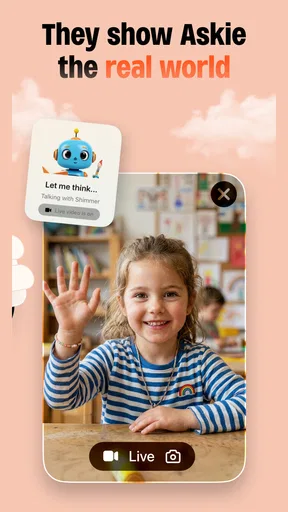
The first thing I noticed is that voice changes the relationship between child and app. Typing can feel like homework, especially for younger children who are still developing spelling and reading confidence. Speaking makes the interaction more immediate. A child can ask a question aloud, explore an idea, or start a silly conversation without needing to compose a polished sentence.
That convenience is also the app’s central trade-off. Voice interaction is engaging, but it can encourage longer, less deliberate sessions than a written activity. I would introduce Askie with a clear purpose: a short question session after school, an imaginative art prompt before dinner, or a few minutes of playful conversation while a parent is nearby. I would not treat it as an automatic replacement for supervision.
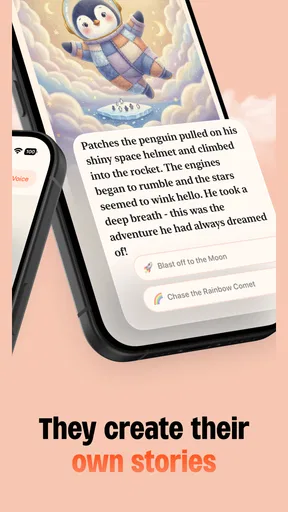
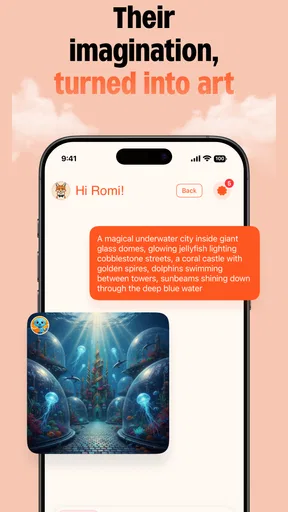
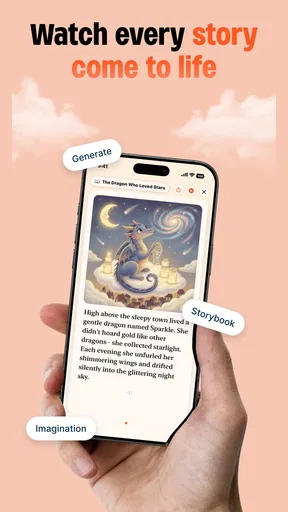
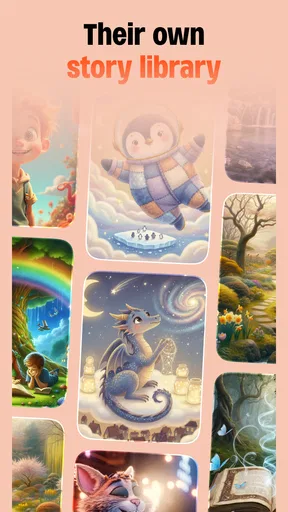
The creative side gives the app a broader role than a question-and-answer tool. Children who are not naturally drawn to educational apps may respond better when learning begins with a character, a story idea, a drawing prompt, or a playful “what if?” question. I found that the strongest use is not asking the app to entertain a child indefinitely, but using it to turn curiosity into something the child can talk about, imagine, and continue away from the screen.
A realistic family scenario would be a child asking why the moon appears to change shape. Instead of ending with one factual answer, a parent could use the conversation as a starting point: ask the child to describe the phases, invent a moon character, and create an illustration inspired by the explanation. Askie’s combination of voice and art is useful here because it supports several ways of expressing the same idea. A child can listen, speak, and create rather than only read.
A better fit for guided curiosity than unsupervised browsing
I would recommend Askie most strongly to parents who want to participate occasionally without directing every word. One useful routine is to let the child choose a topic, listen to the response together, and then ask the child to explain one part in their own words. This helps prevent the app from becoming a passive answer machine.
Another practical approach is to use it as a bridge between interests and offline activities. If a child asks about dinosaurs, space, animals, or inventions, the follow-up does not have to remain inside the app. The conversation can lead to a drawing, a homemade model, a library book, or a question for the next family outing. That workflow makes the app more valuable than simply opening it whenever the child says they are bored.
There is also a useful distinction between younger and older children. Younger users may benefit from the low-friction voice experience and visual creativity, but they are also less able to judge whether an answer sounds reliable. Older children may get more value from exploring ideas independently, yet they still need reminders that an AI response can be incomplete or mistaken. In both cases, the parent’s role is not to correct every sentence, but to teach the child when an answer deserves a second look.
What the current release tells me about the product
The current version, 1.0.188, indicates that Askie is still in an early stage of its product life. I see that as both an opportunity and a caution. Early releases can improve quickly because the basic experience is still being shaped, but they may also feel less settled than long-established parenting tools. A family choosing it today should be comfortable with an app that may evolve noticeably over time.
The release date of October 25, 2025, places the product in a relatively recent phase of development. The important point is not to assume that a newer app is automatically better. Its newer position means the ideas are current, especially the blend of child-focused AI, voice interaction, and art, but it also means parents should pay attention to how later versions affect the experience.
For existing users, an update to a young app can change more than appearance. Conversation flow, creative tools, response style, or the way a child moves between activities may become smoother as the developer learns from use. At the same time, a familiar routine can be disrupted if navigation changes. I would suggest that parents periodically open the app themselves after an update, try the main activities, and check whether the experience still matches the way they introduced it to their child.
That small habit is especially helpful with children. If a child knows exactly how to start a voice chat or move toward an art activity, a design change can create frustration that looks like loss of interest. Testing the new version first lets a parent explain the change before the child encounters it during an unsupervised moment.
Where it stands against ordinary alternatives
Compared with a standard general-purpose chatbot, Askie’s advantage is its child-oriented framing. A normal assistant may be powerful, but it is not automatically designed around a child’s attention span, creative curiosity, or need for a more approachable interface. Askie’s focus on voice, art, and fun gives parents a clearer reason to choose it for family use.
Compared with a conventional educational app, Askie appears less structured. A spelling program, mathematics course, or language-learning app usually gives a child a defined sequence and a measurable task. Askie is better suited to open-ended exploration. That freedom is appealing when a child wants to ask unexpected questions, but it is not the right tool when a parent wants a fixed lesson, progress tracking, or a carefully ordered curriculum.
Compared with video platforms, the app can offer more active participation. A child is not only watching someone else explain or perform something; they can speak, respond, and create. Still, the absence of a fixed video queue does not automatically make every session productive. The quality of the experience depends on the child’s question and the parent’s guidance.
This is why I would not describe Askie as a replacement for books, teachers, creative software, or family conversation. Its strength is sitting between those options. It can help a child begin exploring a topic, but the best results come when the activity continues beyond the app.
Three workflows that make the app more useful
My first recommended workflow is the “question to creation” loop. Start with one spoken question, ask the child to identify the most interesting detail, and then turn that detail into an art idea. This prevents the voice feature from becoming a string of disconnected questions and gives the child a concrete way to process what they heard.
My second is the “teach-back” check. After a conversation, ask the child to explain the answer without repeating the app’s wording. If the explanation is confused, return to the topic and ask a simpler question. This is a practical safeguard against children accepting confident-sounding responses without understanding them.
My third is the “parent-selected boundary.” Before handing over the device, decide what the session is for and how it will end. For example, a child might choose between a short voice exploration and an art prompt, then show the result to a parent. This creates a beginning and an endpoint, which is more effective than relying on a child to stop simply because the app is no longer novel.
These workflows are not flashy features, but they are where I think the product earns its place. AI for children works best when it supports a family routine. Without that routine, even a friendly interface can become another source of passive screen time.
Costs, access, and the questions parents should ask
The app can be downloaded for free, which makes trying it relatively easy. However, in-app purchases range from $3.99 to $249.99 per item. That is a wide span, so I would not let a child explore the purchase flow alone. A parent should review what is available, decide whether any paid option is appropriate, and protect the device’s purchase settings before introducing the app.
The free entry point is useful for families who want to understand the experience before committing money. I would spend time testing the voice interaction, trying the creative side, and observing whether the child actually returns with curiosity rather than simply asking for more screen time. A paid option only makes sense if it supports a routine the family already values.
Android compatibility is also fairly broad because the app works from Android 8.0 onward. That helps families using older devices, although the experience may still vary depending on the phone or tablet’s microphone, speaker, screen size, and general performance. For voice-based use, a quiet room and a device with a clear microphone matter more than they would for a simple reading app.
The Everyone age rating makes the app approachable for a broad family audience, but I would not interpret that label as a parenting strategy. Age ratings help classify suitability; they do not replace a conversation about privacy, respectful questions, screen habits, or checking answers. With any AI product used by children, I would also encourage parents to look at the app’s settings and permissions directly on the device before regular use.
Limitations that may change your decision
The biggest limitation is the open-ended nature of AI. Askie may make a child feel as though they are talking with a helpful companion, but that feeling can lead to overtrust. Children may not naturally distinguish between a creative suggestion and a factual explanation. Parents who want every answer to follow a formal curriculum may be happier with a traditional educational app.
Voice is another possible weakness. It is excellent for children who dislike typing, but it is less convenient in a busy household, during travel, or when several people are speaking nearby. Some children may also prefer quiet, private reading or drawing rather than talking aloud. In those cases, a book, a text-based activity, or a dedicated art app may be a better match.
The product’s early stage is worth keeping in mind as well. A young app can feel fresh, but its long-term direction is not as familiar as that of a service that has been part of family routines for years. I would watch how ASKIE KIDS AI LIMITED handles future releases, especially whether improvements make the experience clearer for parents as well as more entertaining for children.
There is also a financial judgment to make. Because the app is free to start but includes purchases reaching $249.99 per item, families should decide in advance what “trying it” means. If the child enjoys only occasional creative prompts, the free experience may be enough. If the app becomes a regular part of the household, parents should still evaluate the value of any purchase against alternatives such as books, structured learning subscriptions, or art materials.
Who should use it, and who should skip it
I think Askie is a good choice for parents who want to explore AI with a child present, particularly when voice conversation and creative expression are more appealing than formal lessons. It is also promising for children who ask many questions, enjoy imaginative storytelling, or need a gentle prompt to turn an idea into a drawing.
I would be more cautious about recommending it to families seeking independent, unsupervised use. I would also point parents toward a specialized educational app if their main goal is reading practice, arithmetic progression, language drills, or visible academic milestones. Askie’s value is breadth and interaction, not a substitute for a complete teaching plan.
Children who become easily absorbed in conversational apps may need especially firm boundaries. In that situation, the app should be used as a shared activity with a timer or a clear stopping point. If a child becomes frustrated by voice recognition, prefers predictable instructions, or finds open-ended choices overwhelming, a simpler app may provide a better experience.
What I will be watching as Askie develops
Because the app is still at version 1.0.188 and has a relatively small user footprint, I would watch for improvements that make family control and everyday routines easier without taking away the playful character. Clearer session boundaries, smoother movement between voice and art, and better support for parents would all make a meaningful difference.
I would also pay attention to whether the product keeps its child-focused identity as it grows. The most valuable path is not adding endless activities simply to increase time in the app. It is helping children ask better questions, express ideas in different ways, and carry those ideas into real conversations and offline creativity.
My overall view is positive but measured. Askie has a distinctive place in the parenting category because it combines child-friendly AI interaction with voice and art rather than presenting itself as another worksheet or video feed. I would recommend trying it with an adult nearby, setting expectations before the first session, and treating the app as a launchpad for curiosity.
If you want a structured course, a fully independent digital babysitter, or a guaranteed source of school-ready answers, this is probably not the right choice. If you want to explore AI with your child in a more playful and creative way, Askie is worth testing carefully. Its best results come not from leaving a child alone with it, but from using it to start a conversation that continues with the family.
Verdict
Strengths of AI for Kids・Askie
- Simple interface makes AI conversations easy for children to start.
- Can encourage curiosity, questions, and independent learning.
- Kid-focused design may feel more approachable than general AI tools.
- Useful for brainstorming stories, games, and creative activities.
- Accessible on demand without requiring an adult to explain every topic.
Limitations of AI for Kids・Askie
- AI answers may still contain mistakes or misleading information.
- Some responses could be unsuitable despite child-focused positioning.
- Parents should review privacy settings and data-handling practices.
- Frequent use may reduce independent thinking or real-world interaction.
- Availability and quality of features may vary by device or subscription.
Similar Picks in This Category
View All
Family Space
Motorola Mobility LLC.3.9

شرطة الأطفال - مكالمة وهمية
Oub Apps4.1

Findmykids: Parental Control
LETEM LTD4.6

Pregnancy + | Tracker App
Philips Electronics UK Limited4.8

Policía de niños - para padres
Kids police4.7

Pregnancy App
Amila4.9
Frequently Asked Questions
What is AI for Kids・Askie, and how does it work?
AI for Kids・Askie is an educational chatbot designed to help children explore questions, ideas, and everyday topics through age-appropriate conversations. After opening the app, a child can type or submit a question and receive an AI-generated explanation. The experience is intended to support curiosity and learning, but it should be treated as a supplementary tool rather than a replacement for parents, teachers, books, or professional advice.
Is AI for Kids・Askie safe and appropriate for children?
Askie is presented as a child-focused AI experience, with an emphasis on simple language and kid-friendly learning. However, no artificial intelligence system is perfect, and responses may occasionally be inaccurate, confusing, or unsuitable. Parents should review the app’s age rating, privacy information, and available safety settings before use. Younger children should use the app with adult supervision, especially during their first conversations.
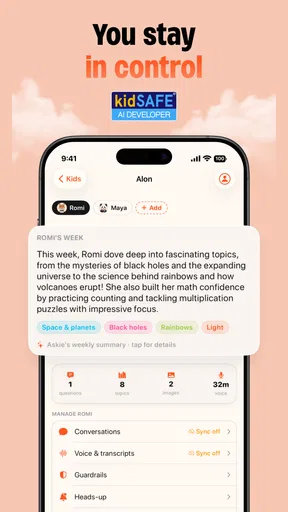
Can parents monitor or control what children do in the app?
The level of parental control may depend on the current version of AI for Kids・Askie and the device where it is installed. Before allowing independent use, parents should check whether the app offers conversation history, content filters, usage limits, parental gates, or reporting options. It is also sensible to discuss safe AI habits with children and remind them not to share private information, passwords, addresses, school details, or photographs.
Does AI for Kids・Askie provide accurate educational answers?
Askie can be useful for explaining basic concepts, brainstorming ideas, practicing questions, and encouraging children to learn. Nevertheless, AI-generated answers can contain mistakes, outdated information, or overly simplified explanations. Children should be encouraged to verify important facts with a parent, teacher, library resource, or trusted educational website. The app should not be relied on for medical, legal, emergency, or other high-stakes guidance.
Is AI for Kids・Askie free to download, and does it include in-app purchases?
The download price, subscription options, advertisements, and available features can vary by platform, country, and app version. Before starting, parents should review the Google Play Store or Apple App Store listing carefully to identify trial periods, premium tools, recurring billing, and in-app purchases. If a child uses the device independently, enabling purchase approval or parental restrictions can help prevent unexpected charges.
